
Majd Sawaf
Essential tools for cybersecurity professionals and penetration testers to discover and analyze networks.
Five reliable tools for use on Linux:
Wireshark
Tshark
tcpdump
Airodump-ng
Kismet
Four reliable tools for use on Windows:
Wireshark
WiFi Analyzer
inSSIDer
NetSpot
Wireshark
An open-source software that was originally named Ethereal. A reputable network protocol analyzer used for deep inspection of network traffic. It captures packets traversing your network and displays them in a user-friendly format. A great tool to understand how data moves across networks with it’s capabilities and features enhancing network security.
– Supports various protocols and real-time monitoring
– Strong filtering and search options
– Features a user-friendly graphical interface
– Provides deep inspection for troubleshooting network issues
– Detects unusual activities
– Analyzes security threats
– Cross-platform compatibility
– Used heavily by network administrators and cybersecurity professionals
Hands-on Wireshark
Ensure you use ‘sudo’ to obtain full privileges otherwise the wireless network adapter may not appear in the interfaces list.

Select your wireless network adapter. For this demonstration, the adapter is wlan0mon.

And there you have it!

Tshark
Tshark is the command-line version of Wireshark, a renowned network protocol analyzer. Tshark functions very similarly to Wireshark though without the graphical user interface making it a preferred choice for automated and remote network analysis tasks.
Tshark can present captured and analyzed data in various formats, such as plain text like CSV and JSON, facilitating integration with other tools and systems.
Differences:
Wireshark – designed for interactive analysis, visual inspection of network traffic and utilizing GUI features
Tshark – more towards automated tasks, batch processing and situations where a GUI is not available therefore making it more suitable for server environments
Wireshark – provides a point-and-click interaction
Tshark – necessitates command-line experience
Utilizing both tools can elevate and enhance your network troubleshooting and analysis skills.
Hands-on Tshark
A basic scan using the Tshark tool via a wireless network adapter.
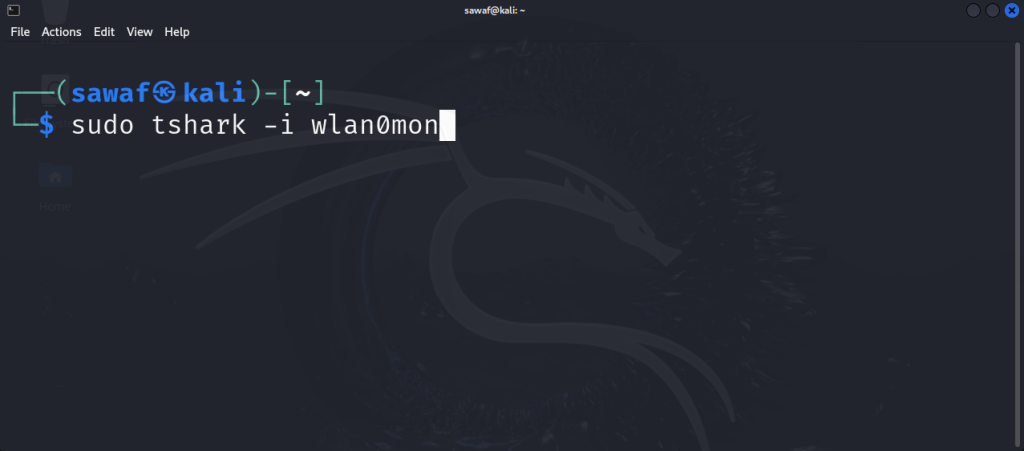
And there you have it!

tcpdump
tcpdump is a built-in tool in Kali Linux, operating from the command-line and is designed for users who are comfortable working in terminal environments. It is known for it’s simplicity, speed in capturing packets efficiently and strong filtering.
tcpdump is renowned for it’s user-friendly interface, speed and lightweight architecture making it compatible with numerous operating systems.
A packet analyzer tool used for network traffic analysis, tcpdump captures and displays packets transmitted or received across a network, providing detailed description into network activities and performance, identifies network issues and security threats. An invaluable tool for network troubleshooting and security analysis used by network administrators and security professionals. A great tool for it’s speed and packet capture capabilities which is perfect for analysis tasks.
Hands-on tcpdump
A basic scan using the tcpdump tool via a wireless network adapter.

And there you have it!

Airodump-ng
Airodump-ng is an essential utility in the Aircrack-ng suite designed for wireless security. A tool for cybersecurity professionals to capture and analyze wireless network traffic, network security auditing and penetration testing. An invaluable tool for anyone specializing in wireless security.
Airodump-ng requires a wireless network adapter that supports monitor mode and packet injection. The Alfa adapter is an excellent choice for this purpose.
It provides a real-time overview of nearby wireless networks and their connected clients, supporting functionalities such as network scanning, client monitoring, packet capturing, channel hopping, GPS integration and more.
It is an educational tool for those entering cybersecurity, gaining hands-on experience in wireless environments and understanding networking traffic. Proficiency with this tool can enhance your network security as it is a valuable asset in your cybersecurity toolkit. Always ensure to use it only on networks where you have permission to test.
Hands-on Airodump-ng
The command to use the airodump-ng tool via a wireless network adapter.

And there you have it!

Kismet
Kismet is an open-source tool for wireless network detection, sniffing and intrusion detection used by cybersecurity professionals for monitoring wireless network traffic, security assessments and penetration testing. Kismet is a reputable tool to have in the wireless security toolkit.
It provides real-time network traffic monitoring a useful tool for identifying network issues. Additionally, it supports a range of wireless standards, including 802.11a, 802.11b, 802.11g, 802.11n, 802.11ac.
With the intrusion detection feature it identifies and alerts users to security threats and intrusions such as rogue access points, unauthorized clients and suspicious network activity, good for maintaining network security.
You are able to launch a user-friendly web-based interface that provides information of the detected networks, clients and captured packets. Also, it is compatible on different operating systems.
Regardless of the security task, Kismet has a strong set of features to meet your needs. A tool for effectively monitoring, analyzing and securing wireless networks.
Hands-on Kismet
The command to use the Kismet tool via a wireless network adapter.

And there you have it!
