Majd Sawaf
A PC connected to a 3560 Switch. Ready to configure Telnet on it.

Access the Switch via the Terminal.

en for enable.

conf t to enter global configuration mode.

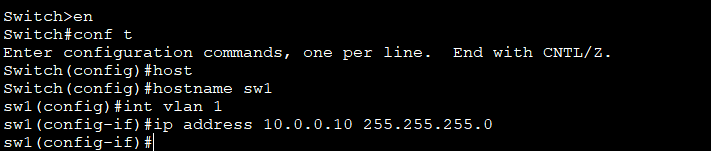
Configuring Telnet or SSH requires you change the hostname of the device.

You must assign an IP address to the switch (vlan) in order to remote into it.

For this demonstration. I will assign an IP address of 10.0.0.10/24.
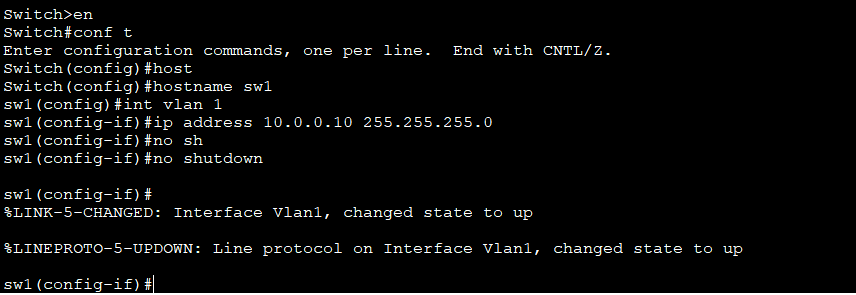
No shutdown makes it active.
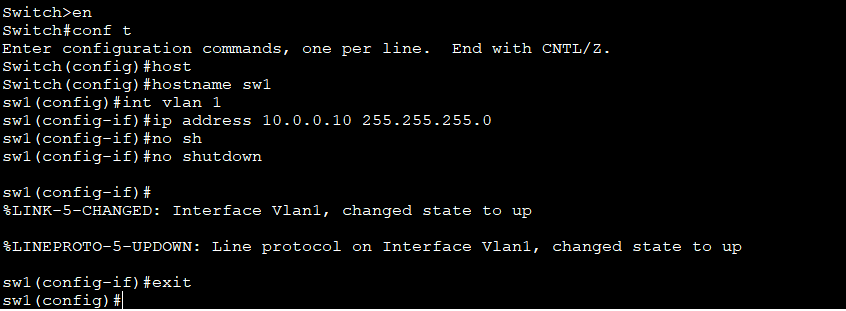
Exit out of the interface.
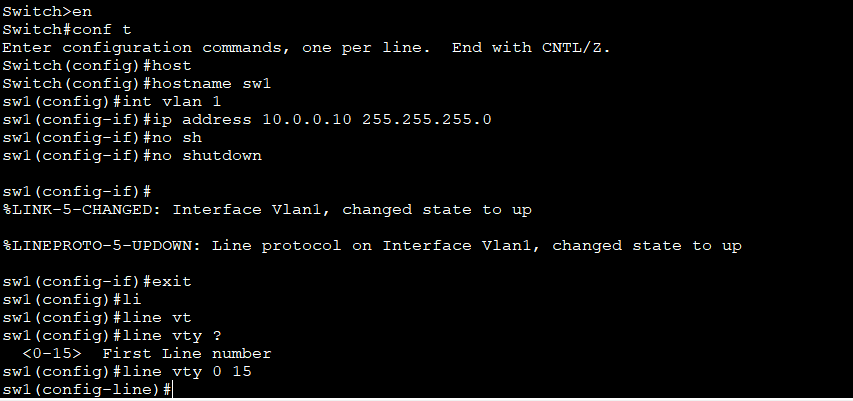
Enter VTY Line.
Set a password for the VTY line.
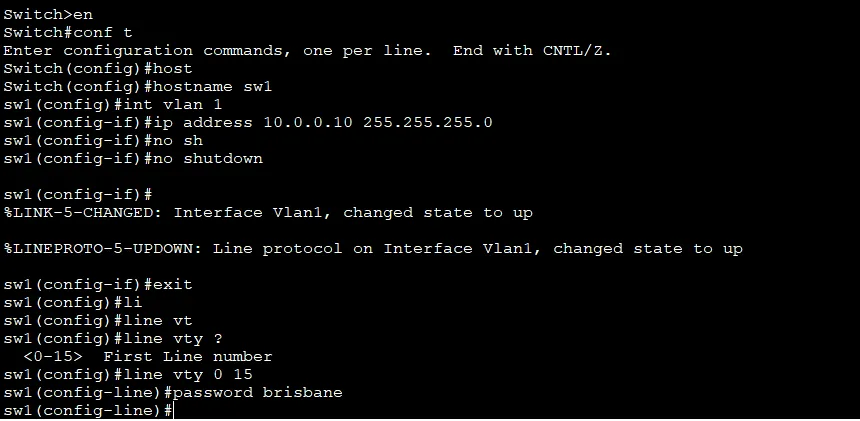
When finished configuring everything, type end.

When you remote into it, sometimes it requires that you set up an enable password for security reasons.

Then go to the command prompt.
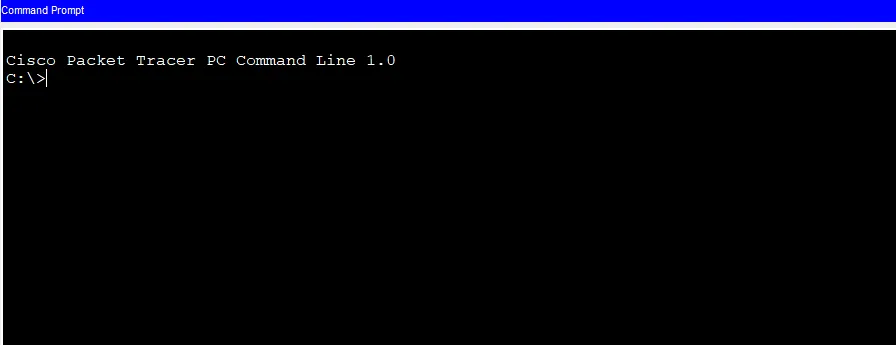
Then go to the command prompt.

Type Telnet followed by the IP address of the device. Enter the password for the VTY line.

Followed by the enable password.

Telnet is successful. It is not recommended that you use Telnet as it is not encrypted. Always use SSH which is the advanced protocol.
The next page will have a demonstration of configuring SSH.
